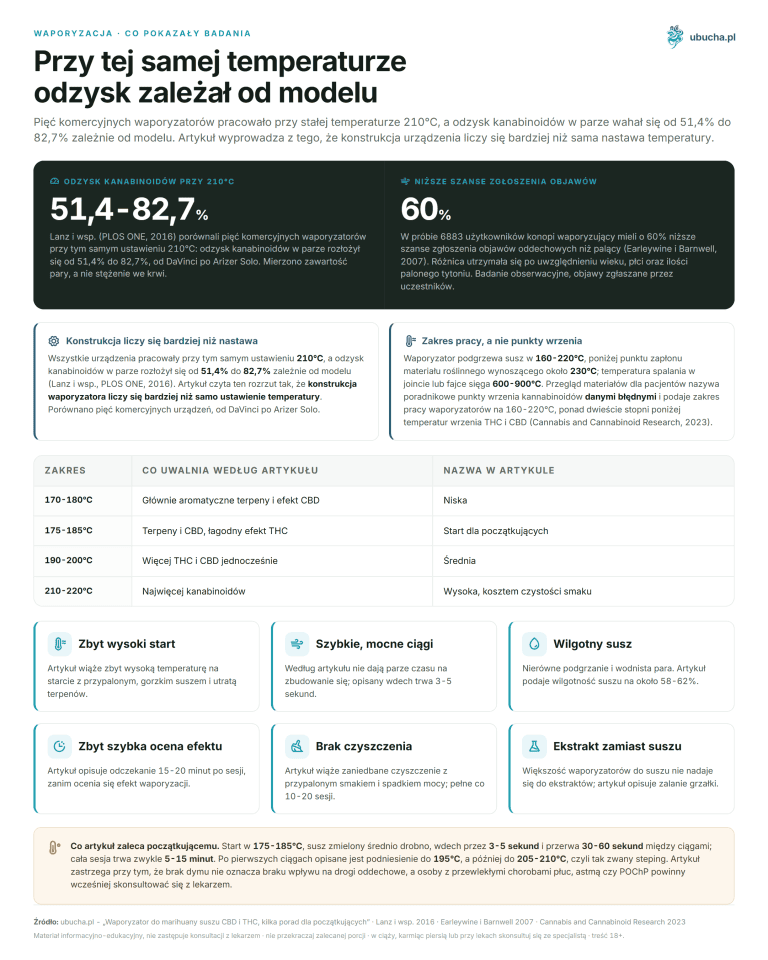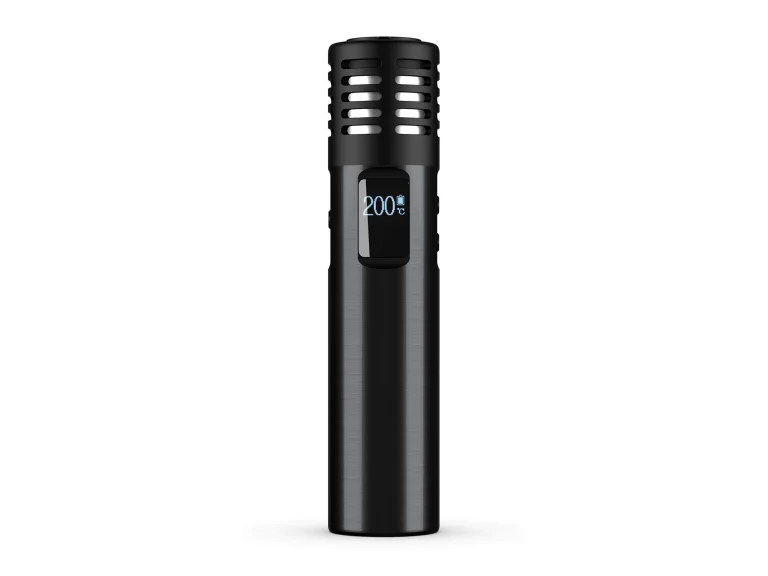


How to use Mighty+ and Crafty+: settings and cleaning step by step

Mighty+ and Crafty+ step by step according to Storz & Bickel instructions: filling, capsules, temperature, Booster, charging, cleaning, and error codes.
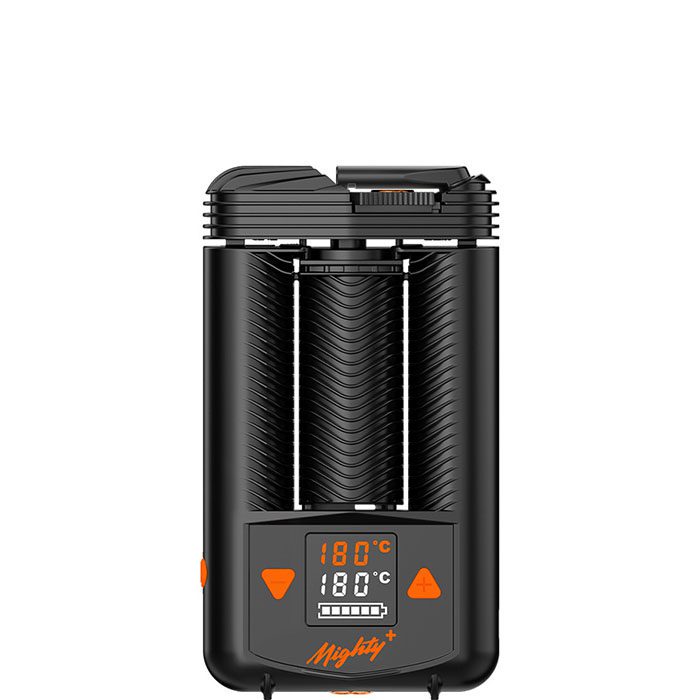
Mighty+ and Crafty+ have the same chamber of 1.4 cm³ and the same range of 40-210 °C, but they are operated differently (Storz & Bickel). Mighty+ has a display and +/- buttons that allow you to change the temperature by 1 °C. Crafty+ has one button with three settings, and the other temperatures are set in the app in the browser. They also differ in charging. Mighty+ can operate while plugged in if the charger provides at least 15 V/3 A, while Crafty+ does not work at all during charging. This guide collects steps from the user manual and the manufacturer’s help center, without personal testing. You will learn how to go through a session step by step, how to clean both devices, and what their error signals mean.
KEY INFORMATION
• Both models have a chamber of 1.4 cm³ and a range of 40-210 °C (Storz & Bickel).
• You set Mighty+ with buttons in 1 °C steps, Crafty+ with three settings or in the app.
• Booster and Superbooster: after 90 seconds, the device returns to the base temperature.
• Only Mighty+ works during charging, with a charger of at least 15 V/3 A.
• Clean the screens with a brush after each session.
How to use Mighty+ and Crafty+ step by step?
A session in both devices proceeds the same way: fill the chamber, turn on the device, wait for the readiness signal, and inhale. According to the Storz & Bickel instructions, the battery is factory charged to about 80%, so before the first session, the manufacturer advises charging it fully. The differences between the models mainly concern the buttons and signals.
| Step | Mighty+ | Crafty+ | What to watch out for |
|---|---|---|---|
| 1. Charging | charge fully before first use | charge fully before first use | factory battery is about 80% |
| 2. Filling | turn the cooling unit 90° to the left, fill the herb to the plastic edge | same as in Mighty+ | do not pack tightly and do not overfill the chamber |
| 3. Turning on | press and hold the ON/OFF button for at least 0.5 s | press and hold the button for at least 0.5 s | in Crafty+, the red LED indicates heating |
| 4. Readiness | double vibration, temperature on the display | two vibrations and green LED | heating time depends on the battery |
| 5. Temperature | +/- by 1 °C; double click: base +15 °C; three clicks: Booster +15 °C (factory base +30 °C) | 180 °C; double click: 195 °C; three clicks: 210 °C | Booster and Superbooster work for 90 s |
| 6. Inhale | steady, for a few seconds, about half of lung capacity | same as in Mighty+ | too intense vapor may irritate the airways (Mighty+ instructions) |
| 7. Break | turns off 3 min after the last press or inhalation | turns off after 2 min | a short press of the button extends operation |
| 8. End | press ON/OFF for at least 0.5 s, cool down, empty the chamber | press the button for at least 0.5 s, cool down, empty the chamber | do not touch the chamber until it cools down |
The table combines the user instructions of both models with articles from the manufacturer’s help center. How do you know when to start inhaling? Mighty+ vibrates twice and shows the temperature on the display, while Crafty+ vibrates twice and lights the green LED.
What to do before the first use of Mighty+ and Crafty+?
Before the first use, charge the battery fully: according to the Storz & Bickel instructions, Mighty+ and Crafty+ leave the factory charged to about 80%. Then check the contents of the box and the condition of the device. The manufacturer prohibits using a damaged vaporizer or a damaged cable. The contents of the box according to the manufacturer’s help center:
- Mighty+: device, USB-C to USB-A cable, 3 small normal screens, 3 small coarse screens, 3 small lower seals, 1 dosing capsule, cleaning brush, short manual.
- Crafty+: device, USB-A to USB-C cable, 3 small fine screens, 3 small coarse screens, 3 seals, 1 dosing capsule, cleaning brush, short manual.
Before turning on, the help center recommends checking if the mouthpiece and cooling unit are clean. If something has been wiped with a cleaning or disinfecting agent, wait for the vapors to evaporate, as they are flammable. You attach the cooling unit by turning it 90° clockwise. You remove it by turning it 90° in the opposite direction.
The warranty for Mighty+ is 2 years and extends by one year if you register the device within 4 weeks. The additional year does not cover the battery. Crafty+ has a 2-year warranty without such an extension (Storz & Bickel, warranty conditions). The help center for Crafty+ also warns that third-party parts may void the warranty, so the manufacturer recommends using only original accessories.
How to fill the chamber and what do dosing capsules change?
The chamber of both models has 1.4 cm³ (Storz & Bickel). The instructions say to turn the cooling unit 90° to the left, fill the chamber with ground herb to the plastic edge, and screw it back on. Do not pack the herb tightly and do not overfill the chamber, as this makes inhalation difficult according to the manufacturer.
The manufacturer does not provide a portion in grams or the degree of grinding. The instructions only mention ground herb, and a herb grinder is treated as an optional accessory. You can find ready grinders in the grinders category. Before attaching the cooling unit, remove any leftover herb from around the chamber opening. In Mighty+, the Filling Chamber Tool also serves as a stand. Just take it out and put it back in turned so that it sticks out.
A dosing capsule is another way: instead of pouring herb directly into the chamber, you insert a ready portion. According to the Mighty+ instructions, you fill the capsule through the middle hole of the magazine lid and close it. Then you insert it into the chamber with the lid facing up and attach the cooling unit by turning it 90°. The instructions describe the capsules as single-use: used ones go to household waste.
What does this change in practice? You measure and close the portion beforehand, and with the device, you just insert it. Each box contains one capsule. The manufacturer also sells them separately, 40 pieces for 15.60 euros (October 2026), but does not provide their capacity in grams; sellers write about approximately 150 mg. Storz & Bickel capsules are in the accessories and parts for vaporizers category.
The manufacturer also has a Filling Aid cap for 8.29 euros (from the manufacturer, October 2026), which you screw in place of the cooling unit and which also serves as a magazine. For small portions, there are Filling Pads (4 pieces, approx. 15 x 5 mm, 6.70 euros from the manufacturer, October 2026). They fill the free space in the chamber and hold very fine herb.
How to set the temperature in Mighty+ and Crafty+: buttons or app?
You set Mighty+ with buttons: one press + or - changes the temperature by 1 °C in the range of 40-210 °C, and the new value is remembered (Storz & Bickel help center). Crafty+ has only three settings on the button: 180, 195, and 210 °C. Any other temperature can be set in the Web App.
The factory base temperature for Mighty+ is 180 °C. Holding + or - changes the value smoothly. The display shows the current and target temperature, and a double vibration indicates that the device has reached it. A double click activates the Booster, which is the base temperature plus 15 °C. Three clicks activate the Superbooster, which is the base plus 30 °C. The instructions add that you can change the Booster value independently of the base, and the Superbooster is always 15 °C higher than the Booster.
Crafty+ sets 180 °C upon turning on. A double click activates the Booster at 195 °C: during heating, the red LED blinks, and during readiness, the green one. You activate the Superbooster at 210 °C with three clicks from the base temperature or a double click from the Booster. The LEDs blink quickly then.
In both models, the Booster and Superbooster work for 90 seconds, after which the device returns to the base temperature. The Crafty+ instructions count this time from reaching the temperature. Where to start? The factory 180 °C is the value from which both devices start. How to choose the setting for the taste and effect of the vapor is described in the guide vaporization temperature: what to set and why.
How to configure Crafty+ in the Web App?
The Storz & Bickel Web App works in the browser and connects to Crafty+ via Bluetooth Low Energy (Storz & Bickel help center). You can set the base temperature in the range of 40-210 °C and the Booster and Superbooster, which have one common excess over the base temperature. The saved settings remain in the device until reset.
Not every browser will connect. The help center lists Bluefy or WebBLE on iOS, Chrome on macOS, Chrome or Edge on Windows, and Chrome with location enabled on Android. In the app, you can also turn off vibrations and dim the LEDs. You can also change the automatic shut-off time in the range of 1-5 minutes.
The app is not mandatory: without it, Crafty+ operates on factory settings. You can erase the settings from the app by resetting with the button, but two articles from the help center provide different holding times. One mentions about 5 seconds, the other about 10 seconds, after which the LEDs blink red, green, and blue in sequence. Check this value in the instructions included with your device.
The app does not connect? The manufacturer advises first resetting the device and turning it off for 5 minutes. Then restart Wi-Fi and Bluetooth on your phone and connect when no other Bluetooth devices are connected to it.
And Mighty+? The article about the app mentions Crafty+, Volcano Hybrid, and Venty, but not Mighty+, although the Mighty+ product page refers to the app. All the settings for Mighty+ described above can be changed with buttons.
How to inhale and when does the device turn off by itself?
You start inhaling after the readiness signal. The Storz & Bickel help center advises inhaling steadily for a few seconds, about half of lung capacity. Hold the vapor for a few seconds, then slowly release it. The same advice applies to both Mighty+ and Crafty+. How many minutes a session should last is not specified by the manufacturer.
How long to wait for readiness? Manufacturer data varies. For Mighty+, the product page states about 1 minute to 180 °C, the help center 60-70 seconds depending on the battery and ambient temperature, and the instructions up to 2 minutes. For Crafty+, the product page states about 1 minute, and the instructions 60-80 seconds with a full battery. Instead of counting seconds, wait for the readiness signal.
Thicker vapor does not mean better. The Crafty+ instructions note that the more intense the vapor, the weaker the taste. The Mighty+ instructions warn that very intense vapor may irritate the airways, and in that case, it is advisable to lower the temperature. The manufacturer also recommends using portable vaporizers while sitting, not leaving them unattended, and stopping if any disturbing symptoms appear.
The Storz & Bickel instructions advise placing the hot device on a stable heat-resistant surface and not covering its openings, even while cooling down. Store the vaporizer in a dry place, out of reach of children. The manufacturer intends both models exclusively for herb, not for tobacco or nicotine.
According to the instructions, Mighty+ turns off 3 minutes after the last button press or inhalation and signals this with a vibration. The help center warns that a weak inhalation may not extend operation, while pressing the button does extend it. Crafty+ turns off after 2 minutes, with a vibration and showing the battery status. At the end, hold the button for at least 0.5 seconds. Do not touch the chamber until the device cools down.
How to charge Mighty+ and Crafty+ and can they be used while charging?
Mighty+ has two lithium-ion batteries with a capacity of 3300 mAh and charges via USB-C (Storz & Bickel help center). With a USB-C PD 15 V/3 A charger, it reaches 80% in about 40 minutes. It can only operate while charging with such a charger. Crafty+ does not work at all during charging.
The manufacturer recommends a 45 W charger for Mighty+. Regular USB-C and USB-A chargers also work, but the charging speed depends on the charger. During charging, the fields on the display blink in sequence, one after the other. Six fields indicate a full battery, and a slowly blinking frame indicates almost empty. The battery can only be replaced by the manufacturer’s service, and self-replacement voids the warranty. A shorter operating time after hundreds of charging cycles is considered normal by the manufacturer.
Crafty+ charges via USB-C at 5 V, maximum 10 W, and does not support operation during charging (Storz & Bickel). The beginning of charging is indicated by a short LED blink and a vibration. The manufacturer does not specify the charging time. It is also unclear when it can be turned on again. The help center states that only after charging is complete, while the instructions say that it can be turned on after partial charging. If you want to be cautious, wait until charging is complete.
The battery status of Crafty+ is indicated by a blue LED. During charging, it lights steadily with a full battery, blinks slowly at 61-96%, blinks quickly at 31-60%, and flashes at 30% and below. Disconnect the cable first from the power source, and then from the device. The manufacturer also offers a 12 V car charger for Crafty+.
How to clean Mighty+ and Crafty+?
After each session, clean the chamber screen and the cooling unit screen with a brush, and empty the chamber (Storz & Bickel). For thorough cleaning, the manufacturer provides two methods: soaking parts in warm water for at least 5 minutes or in isopropyl alcohol for no more than 30 minutes. Before cleaning, turn off the device, disconnect the cable, disassemble the cooling unit, and remove the chamber screen.
| Method | Soaking time | Then |
|---|---|---|
| Warm water for rinsing | at least 5 minutes | rinse under running water for at least 1 minute, dry thoroughly |
| Isopropyl alcohol: cooling unit parts without Cap Lock, chamber screen | no more than 30 minutes | rinse for at least 1 minute, dry thoroughly |
Isopropyl alcohol is flammable. Longer soaking makes the plastic brittle or lose color. Only wipe the Cap Lock, as alcohol may discolor the hologram sticker and dissolve its glue. The manufacturer mentions isopropyl alcohol, not ethanol.
Clean the housing and cable only with a dry or slightly damp cloth. Cotton swabs are suitable for crevices, as long as they are not too wet. After cleaning, inspect the parts: replace any that are cracked, softened, hardened, or discolored. Neither the instructions nor the help center allow the use of a dishwasher for the cooling unit. The Crafty+ instructions only allow it for accessories (grinder, filling aid, magazine). The Mighty+ instructions say to wash these accessories in warm water, not in alcohol.
General rules and cleaning agents for other devices are described in the guide cleaning the vaporizer: how and with what.
How to disassemble the cooling unit for cleaning?
You disassemble the cooling unit of Mighty+ and Crafty+ the same way, in seven steps described in the Storz & Bickel help center. The help center for Crafty+ notes that a warm unit is easier to disassemble because the condensate is sticky. The order according to the manufacturer:
- Pull the Cap Lock towards the mouthpiece.
- Remove the lid.
- Remove the mouthpiece with a swinging motion and take off its seal.
- If the lid goes into alcohol, remove the Cap Lock from it.
- Turn the base 90° to the left.
- Use the chamber tool to pry out the large base seal, and then the small one.
- Push the screen from top to bottom.
When reassembling, put all seals back on. The small base seal should sit completely in the lid so that it is not visible. Press the upper screen flat into the groove: according to the manufacturer, otherwise, herb particles could be inhaled.
Used seals and screens can be replaced with a Wear & Tear Set. For Mighty+, it costs 31.50 euros from the manufacturer (October 2026). For Crafty+, the manufacturer also sells spare cooling units, 3 pieces each. How often to replace screens and seals? The manufacturer does not specify this, so the decision to replace them depends on their condition.
What do the errors mean and what to do when there is no vapor?
Mighty+ reports errors with a code on the display, while Crafty+ uses LED colors. The Storz & Bickel help center describes 6 signals for Mighty+, and the instructions describe 4 LED patterns for Crafty+. Most of them concern the battery or charging. In case of a malfunction, the manufacturer refers to service and prohibits self-repair.
| Signal | Model | Meaning | Manufacturer’s recommendation |
|---|---|---|---|
| ERR 001 / e01 | Mighty+ | battery too hot | wait for it to cool down |
| ERR 002 / e02 | Mighty+ | battery too cold | move to a warmer place, without an external heat source |
| EER 003 / e03 | Mighty+ | incompatible power supply or cable | use original parts |
| EER 004 / e04 | Mighty+ | device malfunction | turn off, disconnect power, contact service |
| ERR 005 / e05 | Mighty+ | air blown into the device | not specified |
| bl | Mighty+ | failed to verify software | not specified |
| red and blue alternately | Crafty+ | battery too hot or too cold | not specified |
| blue blinks | Crafty+ | empty battery | not specified |
| red and green alternately | Crafty+ | incompatible USB-C cable | not specified |
| red and orange alternately | Crafty+ | device malfunction | immediately turn off and disconnect from the charger; do not repair yourself |
Poor vapor or no vapor? The manufacturer advises first cleaning the mouthpiece, cooling unit, and chamber. Then perform a leak test. Remove the cooling unit and cover the air inlet. Then try to draw air through the mouthpiece. If air passes through, the unit needs to be replaced. If that does not help, the manufacturer directs you to register the device and submit a service request (RMA). There is no separate advice for a burnt taste; the closest recommendation is to lower the temperature if the vapor is too intense.
How do Mighty+ and Crafty+ differ in everyday use?
In everyday use, Mighty+ and Crafty+ differ in control, signals, and charging. The rest of the operation is common, from filling the chamber to cleaning the cooling unit. Mighty+ weighs 242 g, while Crafty+ weighs 135 g (Storz & Bickel).
| Feature | Mighty+ | Crafty+ |
|---|---|---|
| Temperature | buttons +/- by 1 °C, display | 3 settings on the button, the rest in the app |
| Signals | numbers on the display, vibration | color and blinking of the LED, vibration |
| Booster | value changed on the device | one common excess over the base temperature, change only in the app |
| Automatic shut-off | 3 min | 2 min, in the app 1-5 min |
| Charging | USB-C, up to 45 W; 80% in about 40 min with a 15 V/3 A charger | USB-C, 5 V, max. 10 W; time not specified |
| Operation while charging | yes, with a charger min. 15 V/3 A | no |
| Errors | codes on the display | LED patterns |
| Dimensions and weight | 8.0 x 14.0 x 3.0 cm, 242 g | 5.7 x 11.0 x 3.3 cm, 135 g |
| Warranty | 2 years, +1 year after registration within 4 weeks | 2 years |
| Price in Polish stores (October 2026) | approx. 1,300-1,800 PLN | approx. 1,100-1,400 PLN |
Mighty+ is larger and heavier, but you can set the entire temperature on it without a phone, and with a fast charger, it works while plugged in. Crafty+ is lighter and smaller, but every temperature outside the three settings requires the app. Which model better fits your usage style is determined by the comparison Mighty+ vs Crafty+ vs Venty vs Veazy. How both perform against other herb devices is shown in the vaporizer ranking 2026. You can see and discuss Storz & Bickel vaporizers in three stores at u Bucha in Warsaw.
Frequently Asked Questions
How much herb fits in the chamber of Mighty+ and Crafty+?
The chamber of both models has 1.4 cm³, but Storz & Bickel does not provide its capacity in grams. The instructions say to fill it with ground herb to the plastic edge, without strong packing, as an overfilled chamber makes inhalation difficult. A single dosing capsule holds about 150 mg of herb according to seller descriptions.
Can you use Mighty+ while charging?
Yes, but only with a Supercharger USB-C charger with parameters of at least 15 V/3 A, which supports operation during charging. This is stated by the Storz & Bickel help center. With a regular charger, Mighty+ only charges. Crafty+ does not work at all while charging, as the manufacturer states it does not have such a function.
Does Mighty+ work with the app?
The Storz & Bickel help center does not list Mighty+ among the devices supported by the Web App, although the product page refers to the app. It is certain that Mighty+ does not need a phone: you can change the base temperature in the range of 40-210 °C and the Booster value using buttons, in increments of 1 °C. The app is primarily needed for Crafty+.
Why won’t Mighty+ turn on?
The Mighty+ instructions list four possible reasons: an empty battery, too high or too low a device temperature, an incompatible charger or cable, and a malfunction. Do not heat a cold device on the stove, in the microwave, or with a lighter, as the manufacturer prohibits this. Code e04 indicates a malfunction: in this case, turn off the device and disconnect the power, then contact service.
What should I clean Mighty+ with: water or isopropyl alcohol?
Storz & Bickel allows both methods. You can soak parts of the cooling unit in warm water for at least 5 minutes or in isopropyl alcohol for no more than 30 minutes, then rinse for at least one minute and dry thoroughly. Do not soak the Cap Lock, just wipe it. Neither the instructions nor the help center allow the use of a dishwasher for the cooling unit.
How long does a session last in Mighty+ and Crafty+?
Storz & Bickel does not specify the session length in minutes. However, it provides the automatic shut-off times: Mighty+ turns off 3 minutes after the last button press or inhalation, Crafty+ after 2 minutes, which you can change in the app within 1-5 minutes. The Booster and Superbooster work in both models for 90 seconds, after which the device returns to the base temperature.
This article is for informational and educational purposes. It contains internal links to product categories available in the u Bucha store. Prices and specifications may change: check the current data on the product page before purchasing.
Author: Michał Waluk · Published: 2026-10-27 · Updated: 2026-10-27